
Collaborative wedding photo album
Every guest photo, in one placeno app required
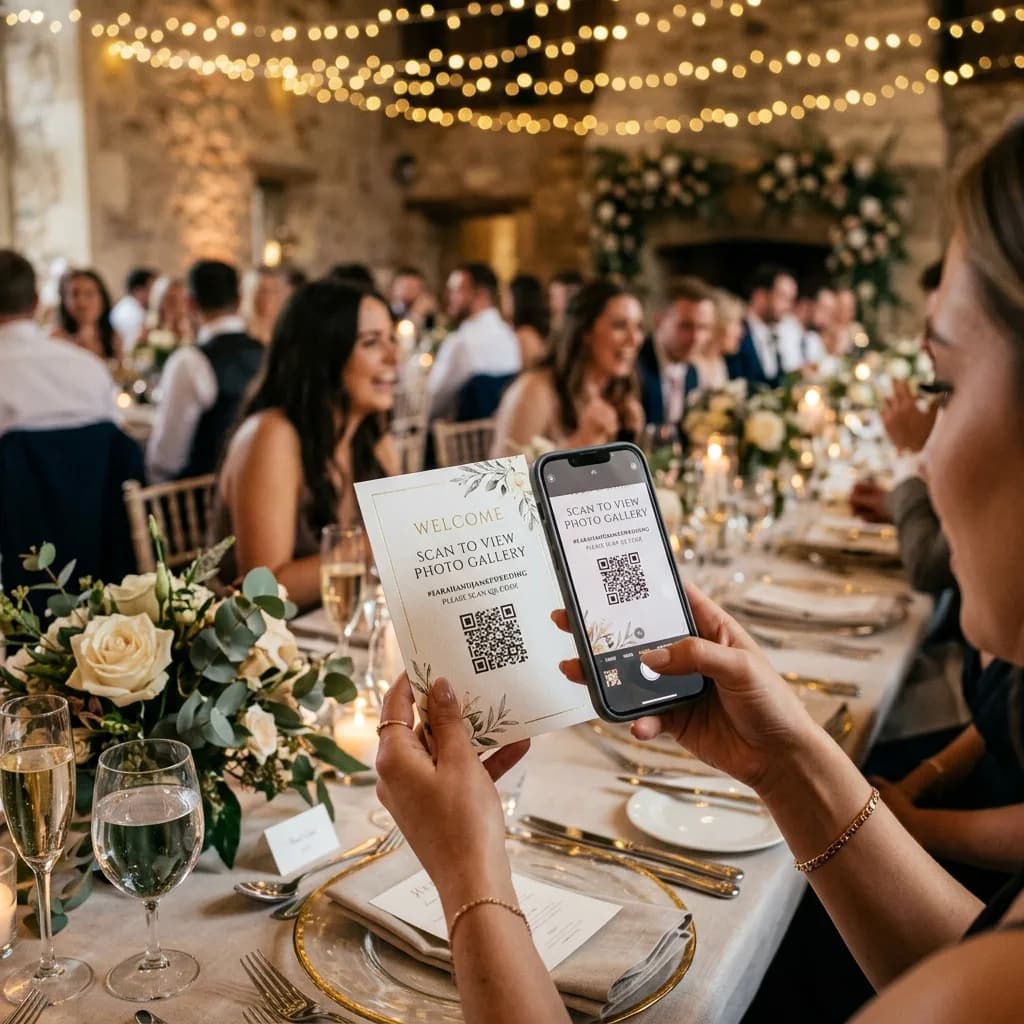
A unique link and a table QR code: guests upload on the day. Private album, optional moderation, original-quality memories — no overflowing WhatsApp thread.
- Guests: no app, no account
- QR code & unique link
- Private album
- Optional moderation

One day, a thousand perspectives. Every memory in one place.
Built for the wedding day, not for social feeds
Guest upload without an app
Scan the QR or tap the link. The browser is enough — phones stay as they are.
QR codes on the tables
Print it on menus, table plans or a small easel. Photos arrive during the party, not three weeks later.
Unique, private link
Only people with the link see the album. No public feed, no ads, no algorithm.
Moderation at your pace
Approve photos before they go live, or let them flow in for a live wall.
Three steps before the ceremony
- 1
Create the album
On Collab, a wedding album takes a few minutes: title, dates, cover.
- 2
Share QR and link
Witnesses’ WhatsApp, digital invite, table cards — one link for everyone.
- 3
Relive it later
Download, run a slideshow, or compose a 4K screen for the living room.
A little guide for your day
An album ready before the big day
A little preparation makes it easy for loved ones to share their photos, from the ceremony to the last dance.
- 1
Prepare and test your link
Create your album, choose your sharing settings and test the QR code with a phone before printing it.
- 2
Put the QR code where guests will see it
On tables, by the guest book or near the photobooth: add a short invitation to share their photos.
- 3
Remember the days after the wedding
Include the link with your thank-you notes to collect the last memories, then download the ones you want to keep.
Take a look
Imagine your wedding gallery
Explore a demonstration album to see how your memories can be presented and shared with your loved ones.
View the demo albumWhat group chats miss on a wedding day
Guest photos are often the most honest — and the hardest to gather. PhotoPartage centralises them without crushing quality.
Table moments, not only the official set
Your photographer covers the ceremony. Guests catch the laughter and the kids. One album holds both.
You stay in control
Private by default. You decide who uploads, who views, and whether a photo waits for your OK.

Keep exploring
PhotoPartage home
Private photo sharing, albums and tools.
Event photo album
Seminars, birthdays, company nights.
The Frame — 4K screens
Turn wedding highlights into a 16:9 collage.
TV screens tool
Compose and export a 3840×2160 JPEG in the browser.
Wedding photobooth
In-browser strips sent to the event album.
All event types
Wedding, festival, trade show, graduation.
Wedding album FAQ
Do guests need to install an app?+
No. They open the link or QR in the phone browser. No account is required to upload a photo.
How does the QR code work on the day?+
Generate the album QR and print it (tables, bar, booth). A scan opens the upload page. The same link can be sent by message.
Is the album private?+
Yes. Access is via the unique link (plus a password if you enable it). There is no public curiosity feed.
Can I moderate photos first?+
Yes. Turn on organiser approval so uploads stay pending until you accept them.
Can we add a photobooth?+
Yes. The browser photobooth sends strips into the same event album as guest photos.
How long do photos stay available?+
You stay in control: keep the album, export a ZIP, or set a collection window. Memories are not trapped in a chat thread.
The best album is the one everyone contributed to
Start Collab for the wedding day, or create a PhotoPartage account to keep everything afterwards.